Windows Endpoint Management

From Windows Autopilot to BitLocker encryption and advanced patch management, HaloFort provides everything you need to secure and manage your Windows 11 devices.
halo.mobil

Unified Windows Device Management

Windows devices power today’s enterprise workforce—from desktops and laptops to frontline and shared devices. Managing these endpoints across hybrid environments requires more than traditional management tools. Organizations need centralized visibility, automated lifecycle management, continuous security, and simplified compliance.


HaloFort delivers enterprise-grade Windows Device Management through its Unified Endpoint Management (UEMX) platform, enabling IT teams to deploy, configure, secure, patch, monitor, and retire Windows devices from a single cloud-based console. With identity-aware security and intelligent automation, HaloFort helps organizations improve productivity while reducing operational complexity

Location-Independent Patching

HaloFort’s modern UEM enables internet-based updates without VPN, accelerating patching for hybrid devices through Windows Update for Business.

Seamless Office 365 Integration

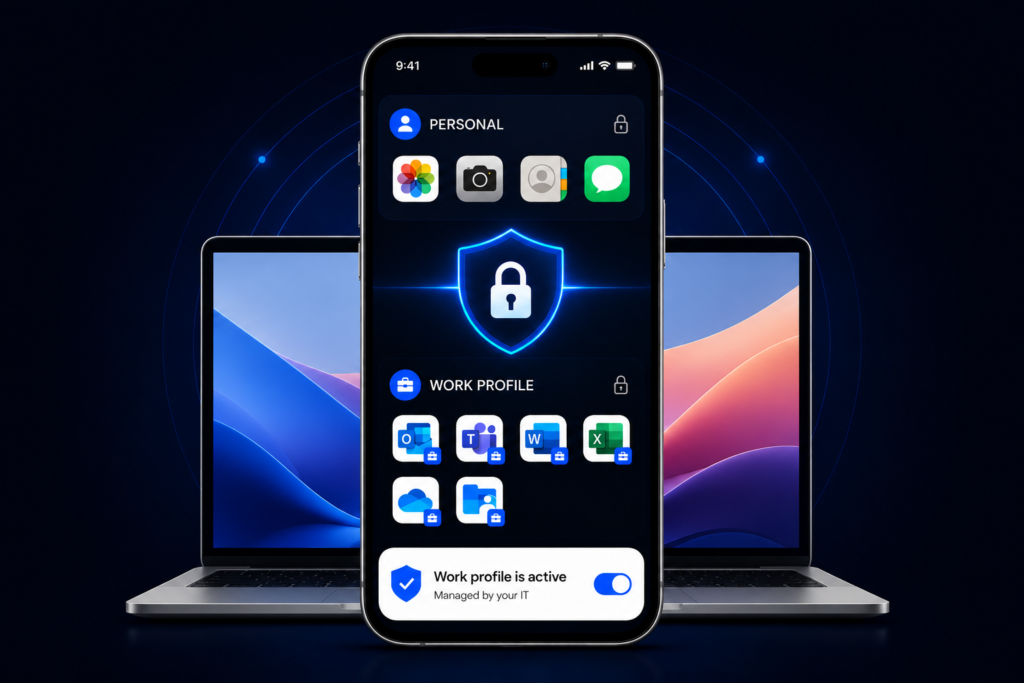
HaloFort’s deep integration with Microsoft 365 and Entra ID streamlines Windows endpoint provisioning, enhances collaboration through native tools like Teams in a unified approach.

Enhancing Employee Experience

Integrated tools for third-party application patching and DEX monitoring reduce manual packaging and testing effort while detecting performance issues proactively.

Deployment & Enrollment
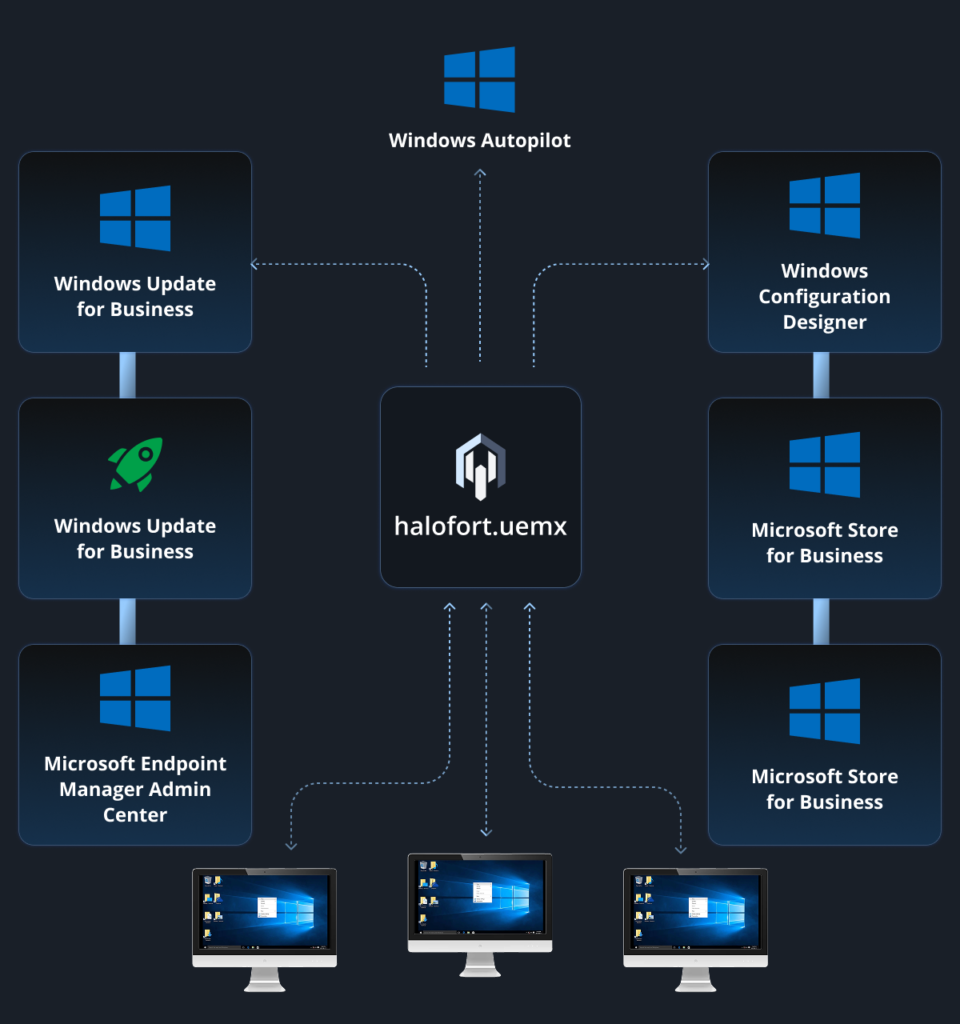
HaloFort streamlines Windows device onboarding with modern, cloud-native processes and enables location-independent management to accelerate patching and reduce overhead.
Deployment & Enrollment_Platform Windows

Zero-Touch Enrollment via Windows Autopilot

Automates setup and provisioning over the internet, eliminating VPN dependencies and enabling rapid deployment for hybrid workforces.

Bulk Provisioning Workflows

Apply advanced restrictions on institution-owned devices while preserving managed app data during user transitions or wipes for faster redeployment.

Migration Support

Facilitates seamless transitions from legacy tools, preserving user profiles and data while minimizing disruptions.

Self-Service Enrollment Portals

Supports multi-user configurations for communal devices, enabling secure profile switching and automated cleanup for frontline environments

Configuration & Policy Management

HaloFort provides granular, native Windows policy controls, bridging gaps in modern management's speed and control to simplify policy application and support accelerated servicing models.

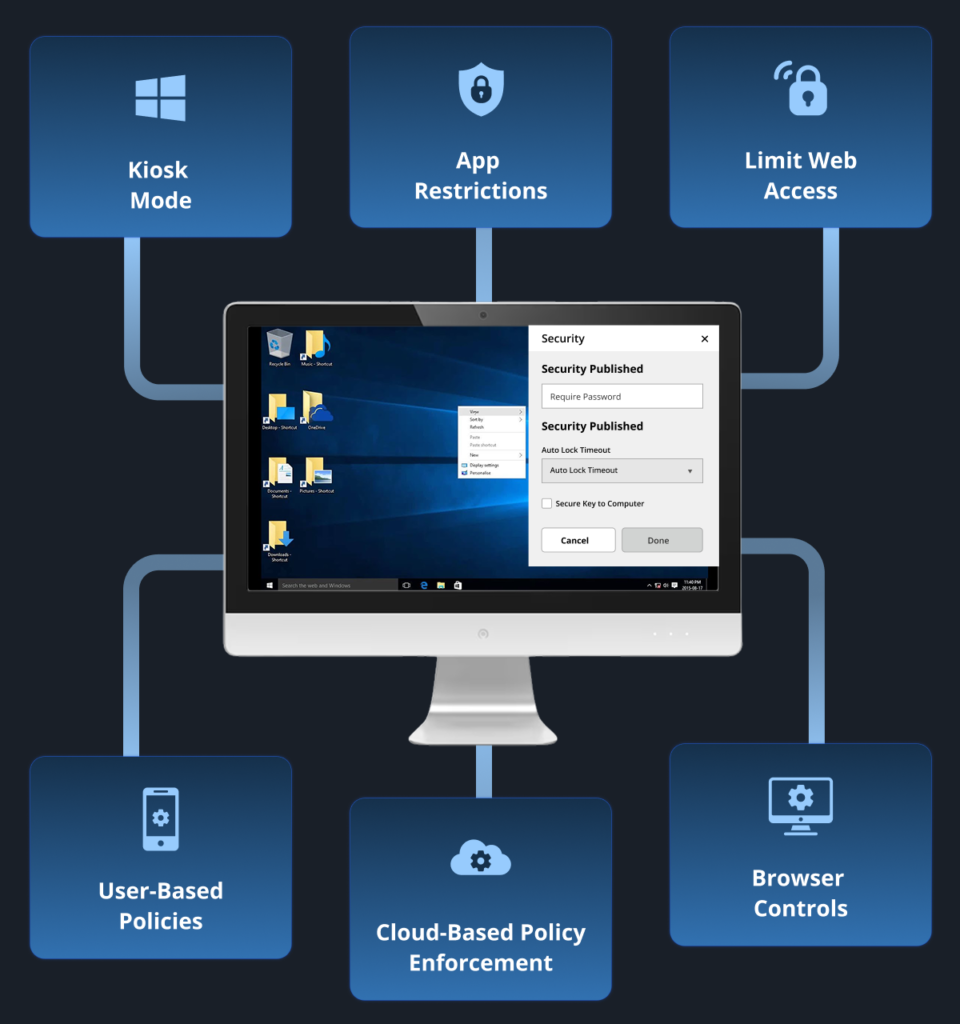
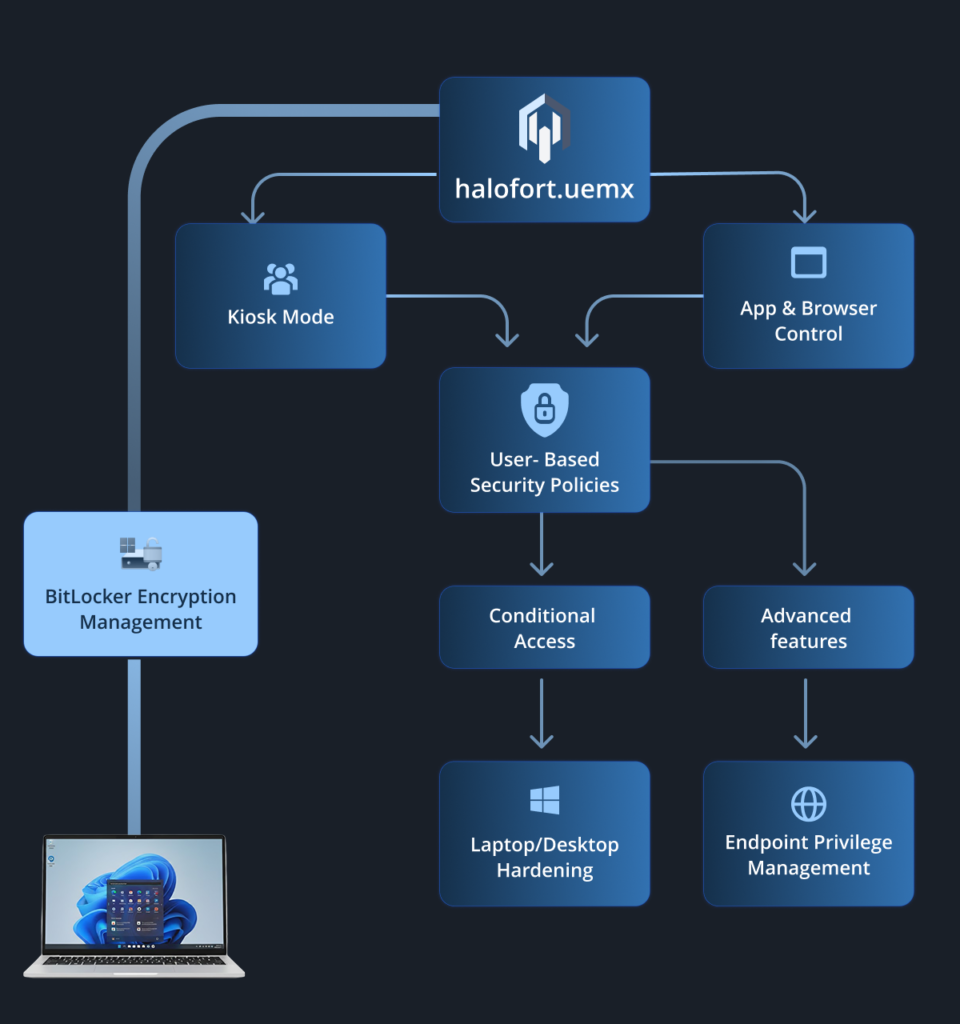
Multi-App Kiosk Mode

Locks devices to a predefined set of applications, restricting access to essential tools and apps only.

App & Browser Controls

Centrally manages deployments and Edge extensions, curbing risks from unauthorized software while integrating with Windows Update for Business.

Role-Based Device Segmentation

Categorizes devices by function for targeted policies, optimizing scalability and reducing administrative overhead in large enterprises.

Category-Based Web Blocking

Enforces granular filters on web access by categories (e.g., social media, gambling, or malware-prone sites), integrating with browser controls to mitigate risks

Security & Compliance

HaloFort integrates HaloTrust for identity-driven zero trust on Windows, resolving outdated patching processes and ensuring consistent vulnerability remediation.

BitLocker Encryption Enforcement

Mandates full-disk encryption with key management, securing data to comply with standards like HIPAA and PCI DSS.

Windows Defender & App Control

Enforces runtime security and app whitelisting, preventing malicious executables for efficient updates.

HaloIDP with Conditional Access

Integrates the advanced identity provider to enforce dynamic conditional policies, enabling secure SSO based on user context, device health, and risk signals.

Port Restriction Policies

Enforces firewall rules to block unauthorized ports, mitigating network-based threats and supporting rapid remediation of vulnerabilities without extensive testing.

Operations & Automation

HaloFort leverages AI-enhanced automation for Windows operations, cutting IT workload by at least 40% through intelligent patching and ring-based deployment.

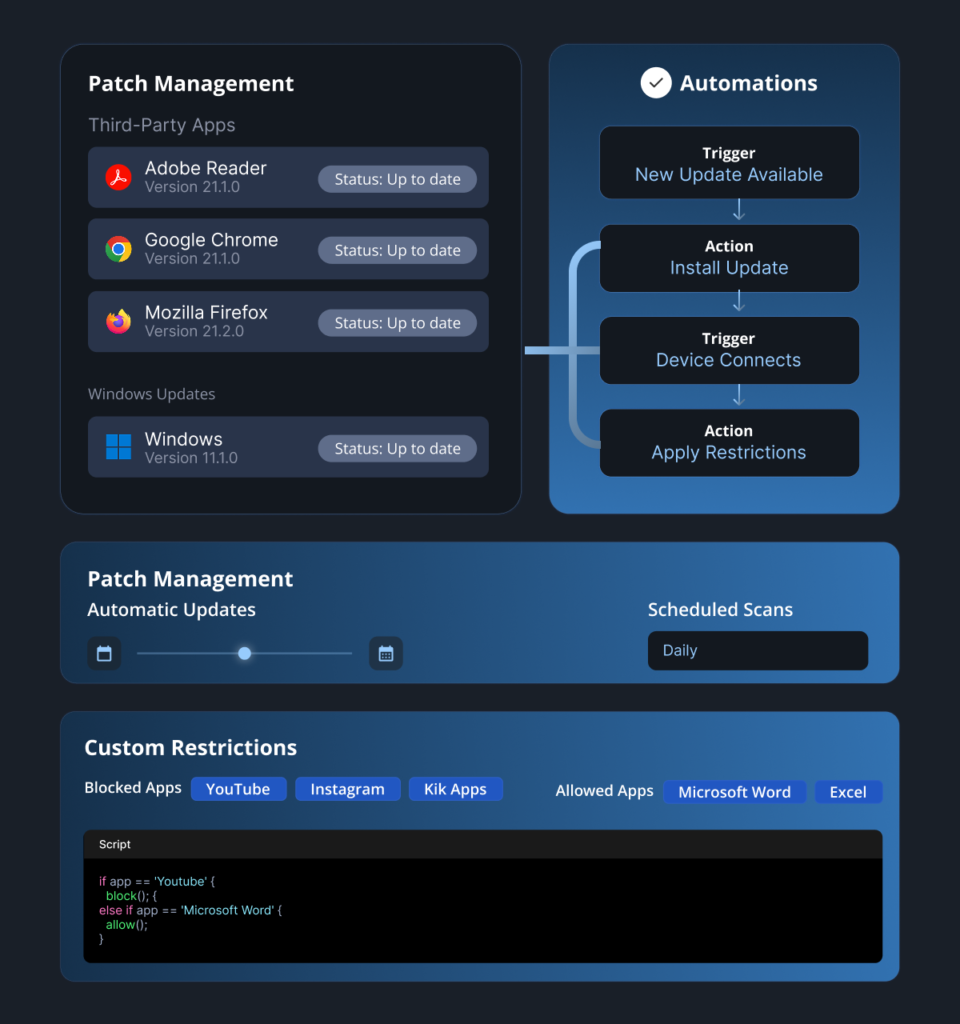
Automated OS & App Patching

Schedules updates via Windows Autopatch or integrated catalogs, ensuring quick vulnerability fixes with minimal downtime using risk-based testing.

AI-Enhanced Remote Scripting

Executes custom scripts for maintenance and troubleshooting remotely, reducing resolution times by up to 50%.

Temporary Admin Privileges

Provides just-in-time elevation of user rights for specific tasks, enhancing security by limiting persistent admin access while supporting operational flexibility.

Ring-Based Deployment Management

Implements phased rollouts from IT ops (Ring 0) to business-critical users (Ring 3), detecting issues early to minimize disruptions.
Patch Management_Windows

Simplify Windows Device Management with HaloFort UEMX

Deploy, secure, and manage every Windows device from a single platform. Automate provisioning, streamline patch management, enforce Zero Trust security, and maintain compliance across your enterprise.