UEM Solutions: 10 Best Unified Endpoint Management (UEM) Software in 2026

UEM Solutions: 10 Best Unified Endpoint Management (UEM) Software in 2026

Managing laptops, desktops, smartphones, tablets, and other endpoints across multiple operating systems can become increasingly complex as organizations adopt hybrid work, BYOD, cloud applications, and distributed IT environments.


Unified Endpoint Management (UEM) helps organizations simplify this complexity by bringing endpoint management, configuration, application deployment, security policies, compliance, and lifecycle management into a centralized platform.


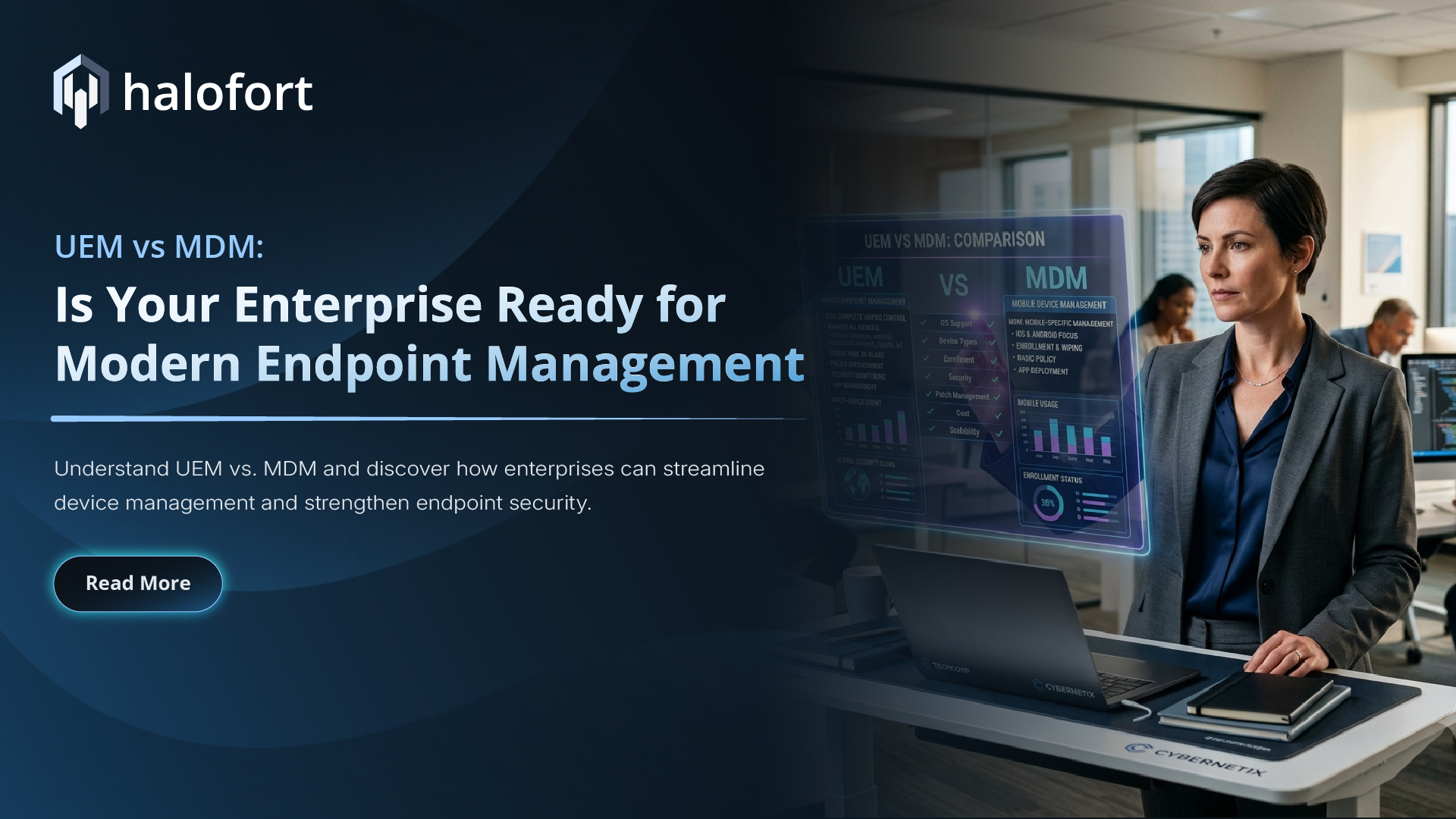
Unlike traditional Mobile Device Management (MDM), which primarily focuses on mobile devices, UEM extends management across a broader range of endpoints, applications, policies, and security controls.


This blog explores 10 UEM software solutions worth considering in 2026, their key capabilities, and the types of organizations they may be best suited for.

What Is Unified Endpoint Management (UEM) Software?

Unified Endpoint Management (UEM) software gives IT teams a single platform to manage and secure an organization’s endpoint environment. Instead of relying on separate tools for PCs, mobile devices, tablets, and other endpoints, UEM brings device administration, security, applications, compliance, and lifecycle management into one centralized solution.


Unified Endpoint Management (UEM) platforms can support multiple operating systems, including Windows, macOS, iOS, Android, Linux, and ChromeOS, helping organizations maintain consistent security and management policies across their entire device ecosystem.


Key capabilities of UEM software include:


  • Centralized endpoint management: View, configure, monitor, and manage different types of devices from one console.
  • Security and compliance: Apply security policies, enforce compliance requirements, manage updates, and respond to device risks.
  • Application management: Deploy, update, and control applications across managed endpoints.
  • Device provisioning: Simplify device enrollment, configuration, and onboarding for employees and corporate devices.
  • Remote management: Troubleshoot devices remotely, lock or wipe compromised endpoints, and perform administrative actions without physical access.
  • Flexible device management: Support use cases such as BYOD, corporate-owned devices, shared devices, and kiosk deployments.

Why is UEM Important?

UEM Solution helps organizations create a more consistent and manageable endpoint environment while reducing the complexity of using multiple management tools.


  • One platform, multiple endpoints: Manage diverse devices and operating systems from a unified interface.
  • Stronger security posture: Apply consistent policies and ensure devices meet organizational security requirements.
  • Simplified IT operations: Automate repetitive tasks such as enrollment, configuration, application deployment, and updates.
  • Complete device lifecycle management: Manage endpoints from initial provisioning through ongoing maintenance and retirement.
  • Better support for hybrid work: Securely manage devices used by employees regardless of where they work.
  • Improved access control: Combine device compliance and security policies to help ensure that only trusted and compliant endpoints access business resources.


How We Selected the Best UEM Solutions


The platforms included in this list are considered based on factors such as multi-OS support, device management capabilities, security and compliance, application management, provisioning, remote management, automation, scalability, integration capabilities, and suitability for different organization sizes.

10 Best Unified Endpoint Management Software in 2026

The right UEM solution depends on an organization’s endpoint landscape, operating systems, security requirements, and IT priorities. For organizations in India, selecting a UEM platform involves many of the same considerations as organizations globally, including operating-system coverage, security, scalability, BYOD support, integrations, and total cost of ownership. Organizations may also want to evaluate local support availability, implementation expertise, licensing options, and regulatory requirements when selecting a UEM platform.


Here are 10 UEM platforms worth considering:


1. halofort : 


halofort Unified Endpoint Management Xtended (UEMX) Platform takes a modern approach to endpoint management by combining UEM with identity, access control, Conditional Access, and Zero Trust security.


The UEMX platform is designed to help organizations manage diverse endpoints while applying policies based on users, devices, compliance, and access requirements.


Key capabilities:


  • BYOD Management
    • Multi-OS endpoint management
  • Device provisioning and lifecycle management
  • Application management
  • Patch management
  • Policy and compliance management
  • Conditional Access
  • Identity-aware security
  • Remote device actions
  • Zero Trust Network Access
  • Automation


Why choose halofort?


For organizations looking beyond traditional device management, the halofort UEMX platform brings device management, endpoint management, identity, security, access control, and Zero Trust capabilities together through a unified approach.


2. Microsoft Intune


Microsoft Intune provides cloud-based endpoint management and security for organizations using Windows, macOS, iOS, Android, and Linux devices. It enables IT teams to manage devices and applications while using Microsoft Entra ID to enforce access based on device compliance.


The platform also integrates with Microsoft’s broader management ecosystem, including Configuration Manager for on-premises Windows environments and separate add-ons that provide capabilities such as privilege management, endpoint analytics, remote assistance, and certificate management.


Best Suited for organizations with significant investments in Microsoft 365, Microsoft Entra, Windows, and the wider Microsoft security ecosystem.


3. IBM MaaS 360


IBM MaaS360 is a SaaS-based UEM platform that centrally manages smartphones, tablets, laptops, desktops, IoT, and specialized devices. It combines device management with security, analytics, identity, and AI-powered risk insights.


MaaS360 supports iOS, iPadOS, macOS, Android, Windows, and ChromeOS, while also integrating with existing endpoint management tools to support a gradual move toward modern unified management.


Best suited for organizations looking for enterprise mobility management combined with security, analytics, identity, and endpoint management capabilities. Organizations should evaluate supported device types, integrations, security requirements, and licensing based on their endpoint environment.


4. Ivanti


Ivanti Neurons is a cloud-based platform for discovering, managing, and securing endpoints from a central console. It uses AI-driven automation to identify and resolve device issues while supporting a smoother user experience.


Key capabilities include real-time asset discovery, self-healing, and natural language processing for faster operational insights.


5. Omnissa


Omnissa Workspace ONE UEM, formerly part of VMware, is a cloud-native UEM platform that centrally manages desktops, mobile, rugged, server, and specialized devices across major operating systems, including Windows, macOS, iOS, Android, Linux, and ChromeOS.


It combines automation, multi-tenant management, and application lifecycle management with security features such as conditional access, compliance policies, and per-app VPN, while integrating with other Omnissa solutions.


6.  Hexnode


Hexnode UEM helps manage smartphones, tablets, and laptops by simplifying device setup, enabling real-time monitoring, and supporting security controls such as app restrictions and geofencing. It is well suited for small businesses and budget-conscious teams and its pricing is based on the number of managed devices.


7. JamfPro


Jamf Pro is an endpoint management platform primarily designed for Apple devices, including macOS, iOS, iPadOS, and tvOS. It helps IT teams automate device deployment, simplify configurations, manage applications, and maintain security across Apple environments.


Things to consider include its strong focus on Apple environments and the need for additional tools for broader multi-platform management.


8. SureMDM


SureMDM is a centralized device management platform that helps organizations enroll, monitor, secure, and manage Android, iOS, macOS, Windows, Linux, and Wear OS devices. It supports corporate-owned and BYOD environments with capabilities such as zero-touch enrollment, application and kiosk management, remote troubleshooting, compliance controls, and remote wipe.


9. HCL BigFix


HCL BigFix is an endpoint management and security platform designed for organizations that need centralized visibility, configuration, patching, and remediation across large and diverse endpoint environments.


Organizations should evaluate BigFix against their specific UEM requirements, particularly around mobile-device management, cloud deployment preferences, identity integration, user experience, and the depth of management required across different endpoint types.


10. ManageEngine Endpoint Central


ManageEngine Endpoint Central provides IT teams with a centralized way to manage and secure their entire endpoint environment. It supports desktops, laptops, servers, mobile devices, and browsers, allowing organizations to handle device configuration, security policies, software deployment, remote support, and endpoint monitoring through a unified platform. This helps simplify day-to-day IT operations, improve visibility, and maintain secure and reliable business environments.

Conclusion

The UEM landscape has evolved beyond traditional device management, helping organizations manage diverse endpoints, automate IT operations, improve compliance, strengthen security, and support hybrid work.


There is no one-size-fits-all UEM solution. The right choice depends on your endpoint environment, operating systems, security needs, BYOD strategy, integrations, scalability, and budget. Organizations should also consider application and patch management, automation, identity integration, Conditional Access, compliance, and Zero Trust capabilities.


For organizations looking to unify endpoint management, identity, access control, and Zero Trust security, the halofort Unified Endpoint Management Xtended (UEMX) platform provides a unified approach to simplify management and strengthen security.


Before selecting a UEM platform, assess your current environment and requirements, and choose a solution that can scale with your organization’s needs.

Beyond MDM: Building a Secure BYOD Strategy for the Modern Workplace

Beyond MDM: Building a Secure BYOD Strategy for the Modern Workplace

What happens when a personal device becomes a gateway to your corporate data?


With hybrid and flexible work becoming the norm, employees increasingly use their own smartphones, tablets, and laptops to access business applications, files, email, and cloud services. Bring Your Own Device (BYOD) offers flexibility and productivity, but it also expands the organization’s security perimeter beyond devices it directly owns and controls.


The challenge is no longer just about managing mobile devices. Organizations need to ensure that the user, device, application, access, and corporate data remain secure throughout the workday.


So, how can businesses enable the freedom of BYOD without creating new security blind spots?


This blog explores the key BYOD security challenges, the role of MDM, the importance of device security posture and Conditional Access, and how organizations can protect corporate data while respecting employee privacy.

What Are the Real Security Risks of BYOD?

BYOD expands the enterprise attack surface by introducing personally owned endpoints into the corporate environment. When these devices access business applications, identities, and sensitive data, organizations must address several security challenges.


  • An Expanded Attack Surface: Every personal device connected to corporate resources introduces another potential attack vector. Outdated operating systems, unpatched vulnerabilities, malicious applications, device compromise, and weak security configurations can increase the risk of credential theft, malware, and unauthorized access.

         The key question is: Can your security team identify and assess the security posture of every device requesting access?


  • Inconsistent Device Security Posture: Unlike corporate-owned endpoints, personally owned devices may not follow a consistent security baseline. Differences in OS versions, patch levels, encryption, device integrity, and security configurations can create varying levels of risk. Continuous device posture assessment and compliance enforcement are therefore critical before granting access to sensitive resources.


  • Loss of Control Over Corporate Data: Corporate information can move beyond approved environments through personal applications, cloud storage, file-sharing platforms, or unauthorized services. Without appropriate DLP and application controls, sensitive information can be copied, transferred, or exposed without sufficient visibility.


         Do you know where your corporate data goes once it reaches a personal device?


  • The Personal Data vs. Corporate Data Challenge: One of the biggest BYOD challenges is that personal and corporate information coexist on the same endpoint. Containerization can help address this by creating a controlled workspace for corporate applications and data while keeping personal information separate. With proper application isolation and data segregation, organizations can apply security policies to the corporate workspace without unnecessarily accessing or controlling personal content.


         Can you protect corporate data without compromising employee privacy?


         The Bigger BYOD Security Question


        Is your organization managing devices or managing trust?


       A modern BYOD strategy should evaluate who is accessing corporate resources, what device they are using, and whether that device meets the required security and compliance standards before granting access.


       That is the shift from “managed device” to “trusted access.”

How to Secure BYOD Environments

Securing BYOD requires more than managing devices. Organizations need to combine endpoint management, identity security, access controls, data protection, and continuous monitoring to reduce risk without compromising user privacy.


  • Establish a Clear BYOD Security Policy: Define requirements for device enrollment, supported platforms, security controls, corporate data access, acceptable use, and user privacy. Employees should understand their responsibilities and the organization’s security boundaries.


  • Strengthen Identity and Access Controls: Use Multi-Factor Authentication (MFA) to strengthen identity verification and Conditional Access to evaluate device and access conditions before granting access to corporate applications and cloud resources.


  • Enforce Device Security and Compliance: Maintain a security baseline covering OS versions, security patches, encryption, passcodes, and device integrity. Continuously assess device compliance and restrict access when security requirements are not met.


  • Adopt Zero Trust Principles: Do not automatically trust a device because it is enrolled. Evaluate the user identity, device security posture, compliance status, and access context before granting access to corporate resources.


  • Protect Corporate Data with Containerization: Use containerization and data segregation to separate corporate applications and information from personal content. This helps protect business data while respecting employee privacy.


  • Continuously Monitor and Respond: Regularly assess device compliance, security posture, and access activity. When a device becomes risky, lost, stolen, or non-compliant, IT teams should be able to restrict access and protect or selectively remove corporate data

Implementing Mobile Device Management (MDM) Solutions

Mobile Device Management (MDM) provides a centralized way to manage devices that access corporate resources. It helps IT teams apply security policies, maintain device compliance, manage business applications, and protect corporate data across the BYOD environment.


  • Enroll and Secure Devices: Enroll employee-owned devices and apply security requirements such as passcodes, encryption, supported OS versions, and configuration policies. This helps establish a consistent security baseline for devices accessing corporate resources.


  • Manage Business Applications: MDM enables IT teams to deploy and manage approved business applications while controlling access to corporate resources. This helps reduce the risk associated with unauthorized or potentially risky applications.


  • Separate and Protect Corporate Data: BYOD requires a clear separation between personal and business information. Containerization and data segregation can help isolate corporate applications and data from personal content, reducing the risk of accidental or unauthorized data exposure.


  • Maintain Device Compliance: MDM can continuously monitor device compliance against defined security policies. Devices that fall outside the required security baseline can be identified and appropriate access controls can be applied.


  • Respond to Lost or Compromised Devices: If a device is lost, stolen, compromised, or no longer authorized, IT teams can take action to restrict corporate access and selectively remove business data. This helps protect sensitive information without unnecessarily affecting the employee’s personal data.


MDM provides the foundation for BYOD security, while identity, security posture, and access controls enable more risk-aware access decisions.

How halofort UEMX Supports BYOD

halofort UEMX provides a unified platform to manage, secure, and protect your endpoint environment with greater visibility and control. It brings together Device Management, Endpoint Management, Identity & Access Management, Security Posture, Conditional Access, and ZTNA in one platform.


For BYOD environments, this enables organizations to move beyond simply asking:


“Is this device enrolled?”


Instead, security teams can ask:


“Is this user, on this device, with this security posture, allowed to access this resource?”


This approach helps organizations apply more contextual access controls while protecting corporate applications and data and maintaining appropriate privacy boundaries for personal devices

Conclusion

BYOD has changed the way organizations approach endpoint security. Personal devices provide flexibility, but they also introduce challenges around device security, identity, access, compliance, data protection, and privacy.


A secure BYOD strategy goes beyond simply managing devices. Organizations need to continuously evaluate who is accessing corporate resources, what device they are using, whether it meets security requirements, and how corporate data is being protected.


The goal is simple: enable flexible work while giving IT and security teams the visibility and control needed to protect corporate resources.


BYOD doesn’t have to create security blind spots. With the right strategy, it can become a secure part of the modern workplace.

Control, Connect, Protect: The Ultimate MDM Understanding

Online Webinar

Control, Connect, Protect: The Ultimate MDM Understanding

Date and Time

Event Description

Eliminate Manual Device Staging: Learn how to implement true zero-touch provisioning across iOS, Android, Windows, and macOS, saving hours of manual setup time per device.


Standardize Fleet Management: Discover how to consolidate fragmented management tools into a single, cohesive framework for configurations, OS updates, and compliance monitoring.


Streamline User Onboarding: See how over-the-air pushing of Wi-Fi, VPN profiles, and core work apps ensures employees are productive from day one without IT handholding.


Master Rapid Incident Response: Gain actionable strategies for instantly handling lost, stolen, or compromised devices using targeted remote locks, selective corporate wipes, or full resets.


Future-Proof Infrastructure Strategy: Understand the key trade-offs between on-premises and cloud MDM deployments to make informed architectural decisions for your organization.

Why Attend?

  • Eliminate Manual Device Staging: Learn how to implement true zero-touch provisioning across iOS, Android, Windows, and macOS, saving hours of manual setup time per device.


  • Standardize Fleet Management: Discover how to consolidate fragmented management tools into a single, cohesive framework for configurations, OS updates, and compliance monitoring.


  • Streamline User Onboarding: See how over-the-air pushing of Wi-Fi, VPN profiles, and core work apps ensures employees are productive from day one without IT handholding.


  • Master Rapid Incident Response: Gain actionable strategies for instantly handling lost, stolen, or compromised devices using targeted remote locks, selective corporate wipes, or full resets.


  • Future-Proof Infrastructure Strategy: Understand the key trade-offs between on-premises and cloud MDM deployments to make informed architectural decisions for your organization.
MDM

Key Takeaways of Webinar

  • Automated Device Onboarding & Lifecycle Control: Streamline fleet management by leveraging zero-touch deployment frameworks (Apple ADE, Android Zero-Touch, Windows Autopilot) to provision devices without manual IT intervention.
  • Centralized Configuration & Compliance Standards: Enforce mandatory passcode policies, OS patch updates, device encryption, and hardware feature restrictions across multi-OS fleets (iOS, Android, Windows, macOS) from a single console.
  • Seamless Corporate Connectivity & App Deployment: Configure Wi-Fi profiles, VPN access, and corporate email settings over the air while silently pushing and updating work-essential applications.
  • Real-Time Fleet Visibility & Monitoring: Maintain a live inventory of device health, hardware specifications, active configurations, and compliance status across corporate and BYOD endpoints.
  • Remote Security & Incident Response: Instantly isolate lost, stolen, or compromised endpoints through remote lock, selective corporate data wipe, or full factory reset commands.
MDM
Meet the Speaker

Shriya Gandreti

Solution Consultant at halofort

Shriya Gandreti is a Solution Consultant (Pre-Sales) professional specializing in enterprise device management and unified endpoint management solutions. She works closely with organizations to understand their technology challenges, identify business requirements, and recommend solutions that simplify endpoint management, strengthen security, and improve operational efficiency. She conducts Proof of Concepts (POCs), demonstrates solution capabilities, and works closely with customers to address their specific problem statements and validate the right solution for their business needs.

Android Zero-Touch Enrollment: Simplifying Enterprise Device Management at Scale

Android Zero-Touch Enrollment: Simplifying Enterprise Device Management at Scale

As enterprises continue to adopt hybrid work models and mobile-first operations, managing large fleets of Android devices has become increasingly complex. Traditional provisioning methods involving manual configuration, staging, and policy deployment introduce operational delays, security gaps, and scalability challenges.


Android Zero-Touch Enrollment (ZTE) addresses these challenges by enabling automated, policy-driven provisioning of enterprise-owned Android devices directly out of the box.


Integrated with modern Unified Endpoint Management (UEM), Mobile Device Management (MDM), and Enterprise Mobility Management (EMM) platforms, ZTE helps organizations accelerate secure device onboarding while maintaining centralized control and compliance.

What is Android Zero-Touch Enrollment?

Android Zero-Touch Enrollment is a secure deployment framework from Google that enables enterprises to automatically enroll Android devices into enterprise mobility management platforms during the initial device setup process.


Once a device is powered on and connected to the internet:


  • The device automatically authenticates with Google’s Zero-Touch portal
  • Assigned enterprise configurations are applied instantly
  • MDM/UEM agents are deployed automatically
  • Corporate policies, applications, VPN profiles, certificates, and restrictions are enforced without manual intervention.


This eliminates the need for IT teams to physically configure devices before deployment.

Zero-Touch Enrollment Deployment Models

Fully Managed Devices: Ideal for enterprise-owned devices requiring complete administrative control, kiosk mode functionality, restricted access, and business-only usage.


Work Profile on Corporate-Owned Devices (COPE): Separates corporate and personal applications and data on the same device, enabling organizations to maintain security while preserving employee privacy.

Advantages of Android Zero-Touch Enrollment

  • Automated Security Baselines: Devices are provisioned with predefined security policies from first boot, minimizing exposure risks.


  • Identity-Driven Access Control: Integrated identity verification ensures only authorized users and compliant devices access enterprise resources.


  • Encrypted Enterprise Workspace: Work profiles isolate business applications and enterprise data from personal usage environments.


  • Reduced Provisioning Errors: Automation eliminates configuration inconsistencies and reduces operational misconfigurations.


  • Remote Compliance Enforcement Administrators can: Perform enterprise wipes, Push updates and patches, Enforce compliance continuously

Operational Benefits for Enterprises

  • Rapid Enterprise Deployment: Deploy thousands of Android devices globally without manual staging.
  • Centralized Endpoint Governance: Manage devices, users, applications, and policies from a unified console.
  • Reduced IT Operational Overhead: Automation minimizes provisioning workload and accelerates onboarding.
  • Enhanced User Experience : Employees receive ready-to-use devices with seamless onboarding workflows.

Industries Leveraging Zero-Touch Enrollment

Organizations across multiple sectors are adopting ZTE to modernize endpoint operations:


  • Healthcare
  • Banking & Financial Services
  • Government
  • Retail & Logistics
  • Manufacturing
  • Transportation
  • Education
  • Field Workforce Operations


For distributed enterprises managing large endpoint ecosystems, Android Zero Touch Enrollment (ZTE) significantly improves operational efficiency and endpoint security posture.

halofort: Intelligent Android Device Provisioning & Endpoint Security Posture

At haloort, powered by Tectoro, we help enterprises simplify Android lifecycle management through intelligent endpoint orchestration and secure zero-touch provisioning.


halofort enables organizations to:


  • Automate Android device onboarding
  • Enforce centralized security policies
  • Enable identity-driven access management
  • Monitor endpoints in real time
  • Integrate seamlessly with MDM/UEM ecosystems
  • Strengthen compliance and governance frameworks


By combining Unified Endpoint Management with advanced security posture, halofort helps organizations build scalable, secure, and future-ready digital workplaces

Conclusion

As enterprise Android deployments continue to expand, manual enrollment can quickly become a time-consuming operational challenge. Organizations need a scalable approach that simplifies deployment, maintains consistent security policies, and reduces the burden on IT teams.


Automated enrollment addresses these challenges by streamlining device provisioning, standardizing configurations, and bringing devices under management from the moment they are activated. For enterprises managing large fleets of corporate-owned or work-managed Android devices, it enables faster, more consistent, and more reliable deployment.


With halofort UEMX, organizations can automate Android enrollment, enforce security and compliance policies, and simplify device lifecycle management through a centralized platform. This helps IT teams deploy devices at scale while maintaining greater control, visibility, and security across the enterprise.


Manage your Android devices today using halofort, reach to us on sales@halofort.com / marketing@halofort.com

Unified Endpoint Management: Why Indian Enterprises are making the Shift in 2026

Unified Endpoint Management (UEM): Why Indian Enterprises are making the Shift in 2026

The workplace has undergone a fundamental transformation. Employees no longer operate solely from corporate offices. They work from home, branch offices, client locations, coworking spaces, and while traveling, accessing business applications from a growing mix of laptops, smartphones, tablets, and other connected devices.


While this flexibility has accelerated productivity and digital transformation, it has also introduced new challenges for IT teams. Managing diverse devices, operating systems, applications, and security policies across distributed environments has become increasingly complex.


In 2026, Indian enterprises are moving beyond traditional endpoint management and adopting Unified Endpoint Management (UEM) as a strategic foundation for securing users, devices, and corporate data while simplifying IT operations.

The Growing Challenge of Endpoint Management

Today’s enterprises operate across multiple platforms, including Windows, macOS, Linux, Android, iOS, and ChromeOS. However, many organizations still rely on separate tools to manage different operating systems and device types.


This fragmented approach creates several operational and security challenges.


  • Limited Visibility: Without a centralized management platform, IT teams often struggle to maintain a complete inventory of corporate devices. Unmanaged, inactive, or non-compliant endpoints can become significant security risks.


  • Inconsistent Security Policies: Applying different security policies across operating systems increases administrative complexity and creates gaps that cybercriminals can exploit. Organizations need consistent security controls regardless of device type.


  • Increased Operational Complexity: Managing multiple consoles for device enrollment, application deployment, software updates, and compliance consumes valuable IT resources and slows response times.


  • Rising Security Risks: Every unmanaged endpoint represents a potential entry point for cyberattacks. As ransomware and identity-based attacks continue to rise, organizations require greater visibility and centralized control over every endpoint.

Why Unified Endpoint Management Matters

Unified Endpoint Management brings laptops, desktops, smartphones, tablets, rugged devices, and other enterprise endpoints together under a single management platform. Instead of using multiple tools for different operating systems, IT administrators can manage the complete endpoint lifecycle through one centralized console.


Modern UEM platforms enable organizations to


  • Manage Windows, macOS, Linux, Android, iOS, and ChromeOS devices from a single platform
  • Automate device enrollment and provisioning
  • Deploy applications remotely
  • Enforce consistent security policies
  • Monitor device health and compliance
  • Automate operating system and application updates
  • Secure corporate data across distributed workforces


This unified approach improves operational efficiency while strengthening enterprise security.

Accelerating Device Provisioning with Zero-Touch Enrollment

Manual device configuration is no longer practical for organizations managing hundreds or thousands of endpoints.


With Zero-Touch Enrollment, employees can receive a new device anywhere in the country, authenticate using their corporate credentials, and automatically receive the required applications, security policies, certificates, Wi-Fi configurations, and access permissions without IT intervention.


This significantly reduces deployment time, improves employee onboarding, and minimizes manual configuration errors.

Automated Patch Management and Compliance

Keeping endpoints updated remains one of the most effective ways to reduce cyber risk. Unified Endpoint Management enables IT teams to automate operating system updates, security patches, firmware upgrades, and application deployments across the entire device fleet.


Organizations can also define compliance policies that continuously monitor device health. If a device becomes non-compliant because of outdated software, disabled security settings, or unauthorized changes, automated policies can restrict access to corporate resources until compliance is restored. This proactive approach helps reduce vulnerabilities while maintaining a strong security posture.

Meeting India’s Growing Compliance Requirements

As India’s digital economy continues to expand, regulatory compliance has become a strategic priority for organizations handling sensitive information. The Digital Personal Data Protection (DPDP) Act has significantly increased the importance of protecting personal and corporate data throughout its lifecycle.


Unified Endpoint Management helps organizations strengthen compliance by providing the technical controls required to safeguard enterprise endpoints and sensitive information.


  • Secure Corporate Data: Organizations can separate business data from personal information on employee-owned devices using secure work profiles and containerization, helping protect sensitive corporate information while respecting employee privacy.


  • Centralized Compliance Reporting: UEM platforms provide comprehensive visibility into device inventory, encryption status, security configurations, software versions, and compliance posture. These reports simplify internal audits and demonstrate adherence to organizational security policies.


  • Remote Security Actions: If a device is lost, stolen, or compromised, IT administrators can remotely lock the device, wipe corporate data, revoke access, or retire the endpoint to minimize security risks and prevent unauthorized access.

Why Indian Enterprises are Investing in UEM Solutions

Unified Endpoint Management has evolved beyond device administration. It has become a strategic platform that enables organizations to improve security, streamline IT operations, and support business growth.


Indian enterprises are increasingly adopting UEM to:


  • Strengthen endpoint security across distributed environments
  • Simplify management of multi-OS device fleets
  • Support hybrid and remote workforces
  • Automate device lifecycle management
  • Improve operational efficiency
  • Meet evolving regulatory and compliance requirements
  • Enhance employee productivity through seamless device experiences


As organizations continue their digital transformation journeys, UEM is becoming a critical pillar of modern enterprise IT.

Conclusion

The enterprise endpoint landscape is becoming more diverse, distributed, and security-sensitive, making disconnected management tools increasingly difficult to sustain.


Unified Endpoint Management (UEM) provides a centralized way to manage, secure, and monitor endpoints throughout their lifecycle. By bringing device management, policy enforcement, application management, compliance, and automation into one platform, UEM reduces complexity while strengthening security.


At halofort, we combine UEM, Identity and Access Management (IAM), and Zero Trust Security in a unified platform, helping organizations simplify IT operations while protecting users, devices, applications, and data.


As Indian enterprises accelerate hybrid work, cloud adoption, and digital transformation, a unified endpoint management strategy is essential for building a secure, compliant, and future-ready enterprise.

Beyond VPNs: How Zero Trust Network Access Is Redefining Enterprise Security

Beyond VPNs: How Zero Trust Network Access Is Redefining Enterprise Security

The way organizations work has changed dramatically. Employees now access business applications from corporate offices, home networks, coworking spaces, and while traveling. At the same time, organizations have accelerated cloud adoption, embraced SaaS applications, and expanded their digital ecosystems.


This shift has made traditional security approaches increasingly ineffective. Solutions like Virtual Private Networks (VPNs), once the standard for remote access, were built around the idea of securing a network perimeter. Today’s distributed workforce requires a security model that protects users, devices, and applications wherever they are.


This is where Zero Trust Network Access (ZTNA) has become a critical component of modern cybersecurity.

Why Organizations Need a New Approach

Today’s IT and security teams face challenges that were uncommon just a few years ago:


  • Managing secure access for hybrid and remote workforces
  • Protecting cloud and SaaS applications from unauthorized access
  • Preventing ransomware and identity-based cyberattacks
  • Providing secure access for third-party vendors and contractors
  • Meeting increasingly complex regulatory and compliance requirements
  • Balancing strong security with a seamless user experience


These challenges require organizations to move beyond perimeter-based security and adopt an identity-first approach to access control

Understanding Zero Trust Network Access (ZTNA)

Zero Trust Network Access (ZTNA) is a security framework built on a simple but powerful principle: Never Trust, Always Verify.


Rather than assuming a user is trustworthy after logging into the network, ZTNA verifies every access request based on multiple security factors. Identity, device health, user behavior, location, and risk signals are evaluated before access is granted.


Instead of exposing an entire corporate network, ZTNA allows users to access only the specific applications and resources they are authorized to use.


This significantly reduces security risks while maintaining a seamless user experience.

Why Organizations Are Moving Beyond VPNs

Traditional VPNs were designed for an era when most users worked from the office and applications resided within the corporate data center. While VPNs still provide encrypted connections, they often grant broad network access once a user successfully authenticates.


This approach creates several security and operational challenges:


  • Users may receive more access than they actually need.
  • Compromised credentials can expose multiple internal systems.
  • Limited visibility makes it difficult to monitor user activity.
  • Managing VPN infrastructure becomes increasingly complex as organizations grow.
  • Remote users often experience slower connectivity and performance issues.


As cyberattacks become more sophisticated, organizations need a security model that protects individual applications rather than entire networks

How ZTNA Protects Access

ZTNA evaluates every access request before allowing a connection. The process typically includes several layers of verification:


  • Identity Authentication: Users are authenticated through trusted identity providers, often with Multi-Factor Authentication (MFA), ensuring only verified individuals can request access.
  • Device Security Validation: The requesting device is checked to confirm it complies with organizational security policies, including operating system updates, endpoint protection, and configuration standards.
  • Context and Risk Evaluation: Additional context such as user location, login patterns, device reputation, and threat intelligence helps determine whether the request represents legitimate activity or potential risk.
  • Granular Application Access: Rather than opening access to an entire network, users receive permission only for the applications and resources required to perform their jobs.
  • Continuous Trust Verification: Security doesn’t stop after login. ZTNA continuously monitors active sessions and can automatically restrict or terminate access if suspicious behavior or policy violations are detected.

Benefits of Zero Trust Network Access (ZTNA)

  • Stronger Security : ZTNA verifies every user, device, and access request before granting access, significantly reducing the risk of unauthorized access, ransomware, and credential-based attacks.
  • Least Privilege Access: Users can access only the applications and resources they are authorized to use. This minimizes the attack surface and prevents unnecessary exposure of critical systems.
  • Enhanced Visibility and Control: IT teams gain centralized visibility into who is accessing which applications, from which devices, and under what conditions, enabling better governance and faster incident response.
  • Simplified IT Operations: With centralized policy management and application-level access controls, ZTNA reduces administrative complexity and streamlines access management.
  • Secure Hybrid Work: Whether employees work from the office, home, or while traveling, ZTNA provides secure, seamless access to business applications without relying on traditional VPNs


Why ZTNA Matters Today

The traditional network perimeter has effectively disappeared. Business applications now span public cloud platforms, private data centers, SaaS environments, and edge locations, while employees access them from virtually anywhere.


At the same time, cybercriminals increasingly target user identities rather than network infrastructure. Protecting applications now requires continuous verification of users, devices, and contextual risk instead of relying solely on network location.


ZTNA enables organizations to adapt to this new reality by delivering identity-driven, context-aware access controls that strengthen security without compromising user productivity. As digital transformation accelerates, ZTNA is becoming an essential pillar of modern enterprise cybersecurity strategies

Conclusion

Zero Trust Network Access represents far more than an alternative to traditional VPNs. It reflects a fundamental shift in how organizations secure users, devices, applications, and data in today’s distributed, cloud-first world.


By enforcing least-privilege access, continuously verifying identities and device health, and protecting individual applications instead of entire networks, ZTNA enables organizations to reduce cyber risk, strengthen compliance, and securely support a modern hybrid workforce.


Organizations adopting Zero Trust require more than secure remote access. They need unified visibility, centralized policy enforcement, and continuous security across users, devices, and applications.


At halofort, we help organizations embrace this approach through a unified platform that combines Unified Endpoint Management (UEM), Identity and Access Management (IAM), and Zero Trust Security. By bringing these capabilities together in a single platform, halofort enables IT teams to simplify security operations, strengthen compliance, improve operational efficiency, and confidently support today’s dynamic digital workplace.

DPDP Compliance in India: What Every Business Should Prepare for in 2026

DPDP Compliance in India: What Every Business Should Prepare for in 2026

India’s data privacy landscape has entered a new era of regulatory compliance and accountability. Following the notification of the Digital Personal Data Protection (DPDP) Rules, 2025, on November 14, 2025, the Data Protection Board of India (DPBI) is now fully operational, with its headquarters in the National Capital Region (NCR). The Board is responsible for overseeing complaint resolution, personal data breach reporting, regulatory inquiries, and enforcement through a digital-first governance framework.


For every organization that collects, processes, or stores digital personal data, compliance is no longer a future consideration. India is currently in the 18-month implementation window, giving businesses time to establish the governance, policies, and security controls required under the DPDP Act before the final compliance deadline of May 13, 2027.


Failure to comply with the DPDP Act may result in significant financial penalties. Depending on the nature and severity of the violation, organizations may face penalties of up to ₹250 crore under the Act.

Why 2026 Is the Year to Act

2026 is the most critical year in India’s DPDP implementation journey. Organizations now have a limited opportunity to strengthen governance, modernize data protection practices, and achieve compliance before the Act reaches full enforcement.

The Government of India has moved from introducing legislation to enabling active implementation and regulatory oversight. Organizations are expected to demonstrate accountability for how personal data is collected, processed, stored, shared, and protected.


The DPBI is actively building the digital ecosystem for grievance handling, breach reporting, and regulatory oversight, while the implementation window gives businesses an opportunity to strengthen privacy governance before full enforcement. As a result, DPDP compliance has evolved beyond an IT or legal responsibility and is now a strategic business priority requiring executive leadership and organization-wide collaboration.

The DPDP Implementation Timeline

The DPDP implementation roadmap consists of three key phases that organizations should use to prepare for full compliance.

Phase 1: Foundation (Currently Underway)

The administrative framework is now in place, including the operationalization of the DPBI, breach reporting mechanisms, and the identification of Significant Data Fiduciaries (SDFs). Organizations should use this phase to conduct data discovery, create a comprehensive data inventory, and identify compliance gaps.

Phase 2: Consent Manager Ecosystem (November 13, 2026)

The DPDP Act introduces registered Consent Managers, enabling individuals to manage and withdraw consent through interoperable platforms. Organizations should prepare their systems and processes to support this evolving framework where applicable.

Phase 3: Full Enforcement (May 13, 2027)

From May 13, 2027, the substantive provisions of the DPDP Act become fully enforceable. Organizations should have clear privacy notices, consent management processes, mechanisms to support individual rights, secure data retention and deletion practices, and appropriate audit and security controls.

What Your Organization Should Do in 2026 to Achieve DPDP Readiness

The current implementation window provides organizations with the opportunity to build a strong foundation for DPDP compliance before full enforcement. Achieving compliance requires a structured approach to data governance, security, and organizational accountability.

Conduct a Data Discovery and Privacy Assessment: Identify where personal data resides across business systems, cloud environments, endpoints, HR systems, and third-party platforms. Classify the data, document processing activities, and establish the lawful purpose for its collection and use.

Review Third-Party and Vendor Agreements: Ensure contracts with cloud providers, payroll partners, marketing agencies, and other data processors comply with DPDP requirements and clearly define data protection responsibilities.

Strengthen Technical Security Controls: Implement essential safeguards such as encryption, multi-factor authentication (MFA), identity and access management (IAM), endpoint security, audit logging, and continuous monitoring to protect personal data.

Assess Data Protection Governance Requirements: Determine whether your organization qualifies as a Significant Data Fiduciary (SDF). Where applicable, appoint an India-based Data Protection Officer (DPO) and establish the governance framework required for ongoing compliance.

How halofort helps organizations strengthen DPDP Compliance

Achieving DPDP compliance requires more than policies and governance. Organizations must also implement robust technical safeguards to protect personal data across endpoints, users, and applications. halofort helps organizations strengthen DPDP readiness through secure endpoint management, identity-driven access, and continuous compliance monitoring.


With halofort, organizations can:


  • Secure Endpoints: Enforce device encryption, validate device compliance, detect rooted or jailbroken devices, and ensure only trusted devices can access corporate resources.


  • Control Access to Sensitive Data: Apply conditional access policies based on user identity and device posture to reduce unauthorized access and strengthen Zero Trust security.


  • Maintain Audit Readiness: Generate comprehensive audit logs, retain compliance records, and provide the visibility needed to support regulatory audits and investigations.


  • Support Data Minimization: Process only the device and compliance information required for management while avoiding unnecessary collection of personal data, supporting the DPDP principle of data minimization.


  • Simplify Compliance Operations: From endpoint security posture and policy enforcement to compliance reporting and operational visibility, we helps organizations implement the technical controls needed to support their broader DPDP compliance strategy.


halofort bridges the gap between DPDP regulatory requirements and technical implementation, helping organizations secure endpoints, protect personal data, strengthen security posture, and support their DPDP readiness.

Prepare for DPDP Compliance Before May 13, 2027

The implementation window is already underway, and the deadline for full enforcement is approaching. Don’t wait until the last minute to address compliance requirements. Start strengthening your governance, security controls, and technical safeguards today.


Talk to the halofort team to discover how secure endpoint management, identity-driven access, and continuous compliance monitoring can help strengthen your organization’s DPDP readiness.

 Building Zero Trust with Conditional Access

Online Webinar

Never Trust, Always Verify: Building Zero Trust with Conditional Access

Date and Time

Event Description

The traditional security perimeter has dissolved. With employees working from anywhere, on a mix of corporate and personal devices, the old model of “trust everyone inside the network” no longer holds. A valid username and password is simply no longer enough to keep your organization safe.


This webinar explores how Conditional Access brings the Zero Trust principle of “never trust, always verify” to life. Instead of granting access on credentials alone, Conditional Access evaluates the full context of every login attempt, who the user is, what device they’re on, whether that device is compliant and secure, their location, and the risk level of the request before allowing or blocking access to corporate resources.


Join us for a practical session where we move beyond the buzzword and show how Conditional Access acts as the enforcement engine of Zero Trust. We’ll walk through real-world scenarios: blocking access from non-compliant devices, ensuring only managed, trusted devices can reach sensitive business data.


Whether you are beginning your Zero Trust journey or strengthening an existing access strategy, you will leave with a clear framework and actionable insights to secure your workforce without compromising productivity.

Why Attend?

See Zero Trust in action, not just in theory. Walk away understanding how “never trust, always verify” translates into real, enforceable access policies not abstract concepts.

Key Takeaways

  • Understand what “never trust, always verify” means in a real-world enterprise environment.
  • Learn how Conditional Access evaluates identity, device posture, compliance, location, and risk before granting access.
  • See how organizations can restrict access from unmanaged, non-compliant.
  • Gain practical insights for implementing or strengthening a Zero Trust access strategy without disrupting employee productivity.
Zero Trust
Chetan - webinar Speaker
Meet the Speaker

Chetan Pasula

Head of Presales at halofort

Chetan is the Head of Presales at halofort with over 10 years of experience in enterprise mobility and security. He works with government, and enterprise clients to design UEM/MDM and Zero Trust solutions, and specializes in turning complex security concepts into practical, real-world strategies.